> ## Documentation Index
> Fetch the complete documentation index at: https://docs.heffl.com/llms.txt
> Use this file to discover all available pages before exploring further.
# What is Heffl?
> Welcome to Heffl - the all-in-one agency management platform
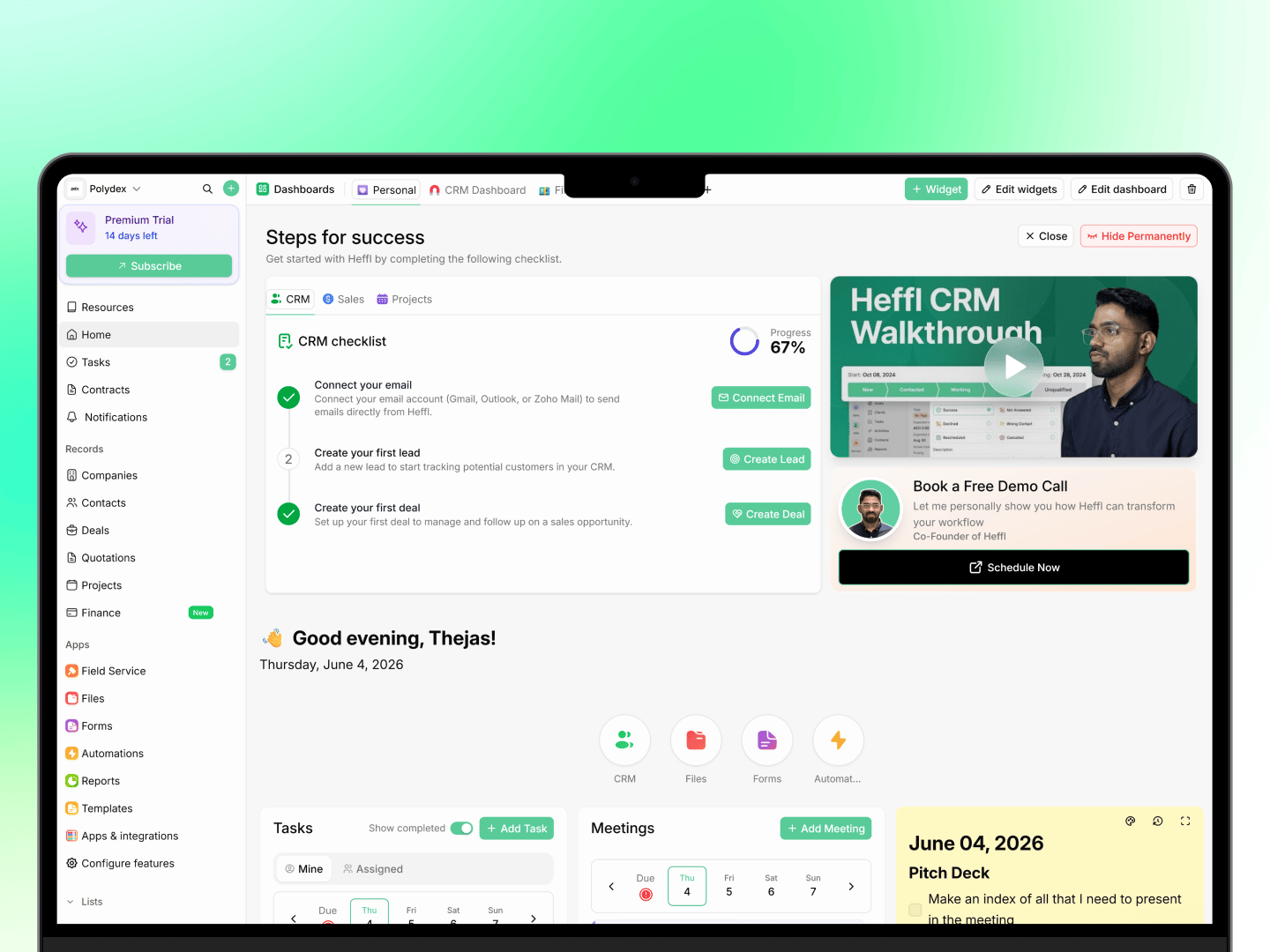 Whether you are a solo founder or managing a team, Heffl helps you track leads, send quotes and invoices, deliver work, and get paid, all in one place.
Heffl is an all-in-one agency management platform. It brings customer relationship management, sales, projects, field service, and more into one workspace, so you can run your operations without juggling separate tools.
## What can you do with Heffl?
**Track leads and deals** \
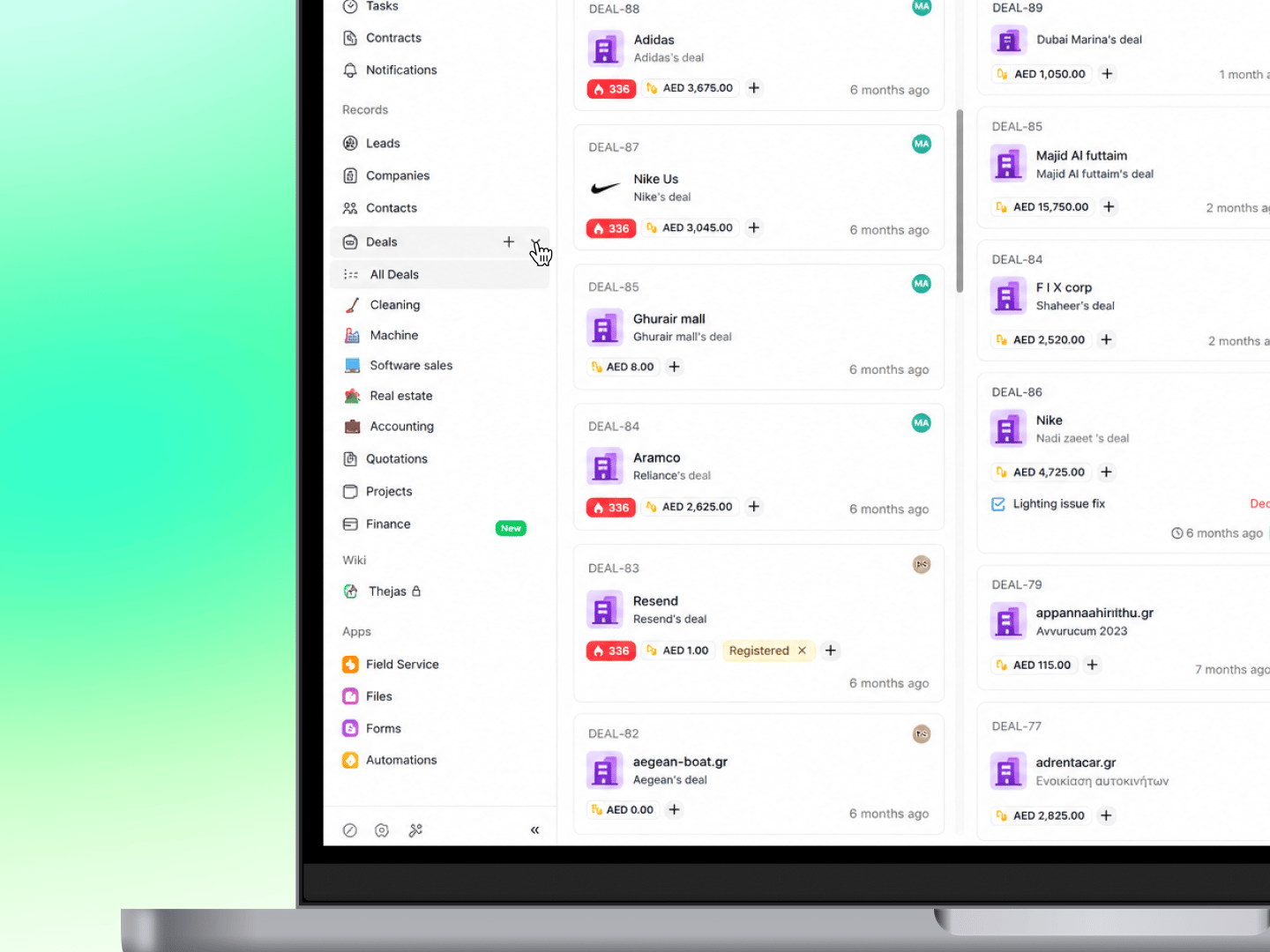
Capture leads from forms and other sources, track their status and activity, set follow-up reminders, and convert them into deals. Manage your sales pipeline visually, moving deals through stages without spreadsheets. See [Managing leads](https://docs.heffl.com/managing-leads-adding-editing-and-converting) and [Moving deals between stages](https://docs.heffl.com/moving-deals-between-stages).
**Send quotes and invoices** \
Create professional quotations from templates, auto-fill client details from your CRM, and send them by email or through the client portal. Convert accepted quotes into invoices in one click, and track their status. See [Creating and sending quotations](https://docs.heffl.com/creating-and-sending-quotations).
**Collect payments** \
Record payments, track outstanding balances, and let clients pay online through Stripe or Telr. Set up recurring invoices for clients you bill on a schedule. See [Payments: recording and collecting](https://docs.heffl.com/payments-recording-and-collecting).
**Deliver projects** \
Plan work across your team with projects, tasks, timesheets, and recurring projects, viewable as a board, table, or timeline. See [Introduction to project management in Heffl](https://docs.heffl.com/introduction-to-project-management-in-heffl).
**Work with clients directly** \
Give clients a portal to view their quotes, invoices, and jobs, and to pay online, without contacting your team. See [Setting up the client portal](https://docs.heffl.com/setting-up-the-client-portal).
Whether you are a solo founder or managing a team, Heffl helps you track leads, send quotes and invoices, deliver work, and get paid, all in one place.
Heffl is an all-in-one agency management platform. It brings customer relationship management, sales, projects, field service, and more into one workspace, so you can run your operations without juggling separate tools.
## What can you do with Heffl?
**Track leads and deals** \
Capture leads from forms and other sources, track their status and activity, set follow-up reminders, and convert them into deals. Manage your sales pipeline visually, moving deals through stages without spreadsheets. See [Managing leads](https://docs.heffl.com/managing-leads-adding-editing-and-converting) and [Moving deals between stages](https://docs.heffl.com/moving-deals-between-stages).
**Send quotes and invoices** \
Create professional quotations from templates, auto-fill client details from your CRM, and send them by email or through the client portal. Convert accepted quotes into invoices in one click, and track their status. See [Creating and sending quotations](https://docs.heffl.com/creating-and-sending-quotations).
**Collect payments** \
Record payments, track outstanding balances, and let clients pay online through Stripe or Telr. Set up recurring invoices for clients you bill on a schedule. See [Payments: recording and collecting](https://docs.heffl.com/payments-recording-and-collecting).
**Deliver projects** \
Plan work across your team with projects, tasks, timesheets, and recurring projects, viewable as a board, table, or timeline. See [Introduction to project management in Heffl](https://docs.heffl.com/introduction-to-project-management-in-heffl).
**Work with clients directly** \
Give clients a portal to view their quotes, invoices, and jobs, and to pay online, without contacting your team. See [Setting up the client portal](https://docs.heffl.com/setting-up-the-client-portal).
 ## Getting started
New to Heffl? Follow these guides to set up your workspace:
Sign up at [app.heffl.com](https://app.heffl.com) and create your organization.
Add team members and assign roles with the right permissions.
Import contacts, configure deal pipelines, and define lifecycle stages.
Link your email, calendar, and payment gateway in Settings > Integrations.
Need help getting started? Check our [Getting Started guide](https://docs.heffl.com/getting-started/quick-start-guide-5-minute-setup) for a step-by-step walkthrough.
## How Heffl is organized
Heffl is built around connected areas that work together. The main ones are:
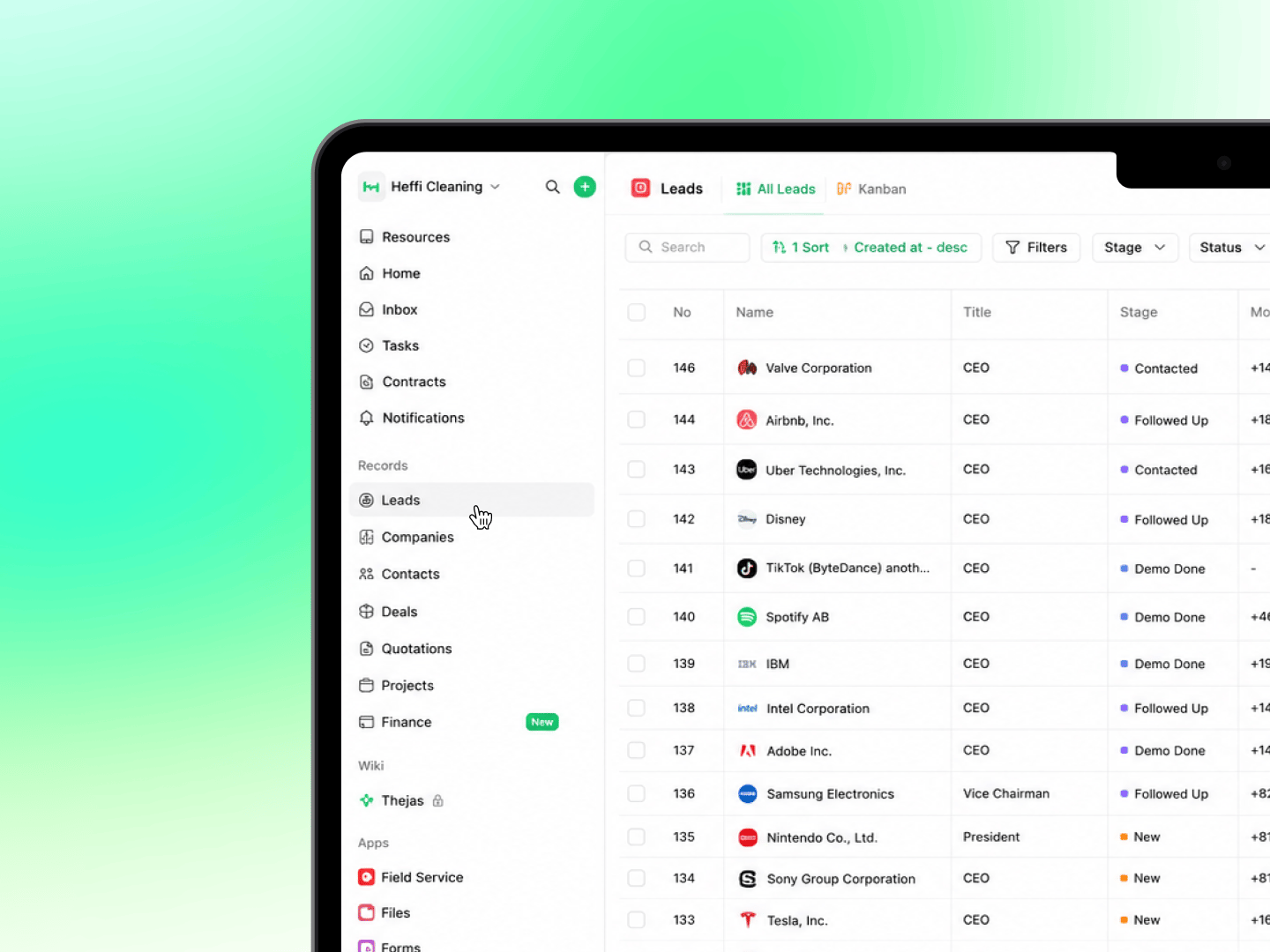
* **CRM**: leads, deals, companies, and contacts, everything in your sales pipeline
* **Sales and Finance**: quotations, invoices, proforma, payments, products, and recurring invoices
* **Projects**: tasks, timesheets, and recurring work
* **Field Service**: jobs, schedules, and service reports
* **Client Portal**: a secure space for your clients
* **Inbox**: WhatsApp, LinkedIn, and email conversations in one view
* **Wiki**: internal notes and documents
* **Apps**: Forms, Automations, Files, Reports, Templates, and integrations
These connect into a natural workflow: capture a lead, convert it to a deal and send a quote, turn the accepted quote into a project or field service job, then share updates and collect payment through the client portal, with automations handling the repetitive steps along the way.
***
## Who uses Heffl
Heffl is built for service businesses that manage clients, teams, and recurring work:
* **Small and medium businesses** that want one platform for CRM, invoicing, and operations
* **Field service companies** like cleaning, pest control, and maintenance firms that schedule jobs and send teams on site
* **Agencies** managing multiple clients, projects, and deadlines
* **Freelancers** who need a simple way to manage clients, quote, deliver, and get paid
## Getting started
New to Heffl? Follow these guides to set up your workspace:
Sign up at [app.heffl.com](https://app.heffl.com) and create your organization.
Add team members and assign roles with the right permissions.
Import contacts, configure deal pipelines, and define lifecycle stages.
Link your email, calendar, and payment gateway in Settings > Integrations.
Need help getting started? Check our [Getting Started guide](https://docs.heffl.com/getting-started/quick-start-guide-5-minute-setup) for a step-by-step walkthrough.
## How Heffl is organized
Heffl is built around connected areas that work together. The main ones are:
* **CRM**: leads, deals, companies, and contacts, everything in your sales pipeline
* **Sales and Finance**: quotations, invoices, proforma, payments, products, and recurring invoices
* **Projects**: tasks, timesheets, and recurring work
* **Field Service**: jobs, schedules, and service reports
* **Client Portal**: a secure space for your clients
* **Inbox**: WhatsApp, LinkedIn, and email conversations in one view
* **Wiki**: internal notes and documents
* **Apps**: Forms, Automations, Files, Reports, Templates, and integrations
These connect into a natural workflow: capture a lead, convert it to a deal and send a quote, turn the accepted quote into a project or field service job, then share updates and collect payment through the client portal, with automations handling the repetitive steps along the way.
***
## Who uses Heffl
Heffl is built for service businesses that manage clients, teams, and recurring work:
* **Small and medium businesses** that want one platform for CRM, invoicing, and operations
* **Field service companies** like cleaning, pest control, and maintenance firms that schedule jobs and send teams on site
* **Agencies** managing multiple clients, projects, and deadlines
* **Freelancers** who need a simple way to manage clients, quote, deliver, and get paid
 ***
## What's new
Heffl updates regularly. The What's new changelog tracks the latest features and improvements, worth checking after each release.
***
## Ready to get started?
Setting up Heffl takes only a few minutes. See [How to sign up and log in](https://docs.heffl.com/getting-started/how-to-sign-up-and-log-in) to create your account, then the [Quick start guide](https://docs.heffl.com/getting-started/quick-start-guide-5-minute-setup) to find your way around.
***
## What to do next
1. [Sign up and log in](https://heffl.mintlify.app/getting-started/how-to-sign-up-and-log-in#how-to-sign-up-and-log-in) to create your workspace
2. Follow the [quick start guide](https://app.mintlify.com/heffl/heffl/editor/Thejas/~/418bb23c-50e2-46e8-8604-402b02d6027f) to get oriented
3. [Invite your team members](https://app.mintlify.com/heffl/heffl/editor/Thejas/~/e381be99-1a4e-40dc-a4b1-2149feb2778f) and start working
**Work with clients directly** \
Give clients a portal to view their quotes, invoices, and jobs, and to pay online, without contacting your team. See [Setting up the client portal](https://app.mintlify.com/heffl/heffl/editor/Thejas/~/a1a490df-7936-4c16-8a86-ec063e23e64e).
Sign up at [app.heffl.com](https://app.heffl.com) and create your organization.
Add team members and assign roles with the right permissions.
Import contacts, configure deal pipelines, and define lifecycle stages.
Link your email, calendar, and payment gateway in Settings > Integrations.
Heffl updates regularly. The What's new changelog tracks the latest features and improvements, worth checking after each release.
Setting up Heffl takes only a few minutes. See [How to sign up and log in](https://app.mintlify.com/heffl/heffl/editor/Thejas/~/19d040b4-4bc0-496a-878c-2efeef17fdfe) to create your account, then the [Quick start guide](https://app.mintlify.com/heffl/heffl/editor/Thejas/~/418bb23c-50e2-46e8-8604-402b02d6027f) to find your way around.
1. [Sign up and log in](https://heffl.mintlify.app/getting-started/how-to-sign-up-and-log-in#how-to-sign-up-and-log-in) to create your workspace
2. Follow the [quick start guide](https://app.mintlify.com/heffl/heffl/editor/Thejas/~/418bb23c-50e2-46e8-8604-402b02d6027f) to get oriented
3. [Invite your team members](https://app.mintlify.com/heffl/heffl/editor/Thejas/~/e381be99-1a4e-40dc-a4b1-2149feb2778f) and start working
***
## What's new
Heffl updates regularly. The What's new changelog tracks the latest features and improvements, worth checking after each release.
***
## Ready to get started?
Setting up Heffl takes only a few minutes. See [How to sign up and log in](https://docs.heffl.com/getting-started/how-to-sign-up-and-log-in) to create your account, then the [Quick start guide](https://docs.heffl.com/getting-started/quick-start-guide-5-minute-setup) to find your way around.
***
## What to do next
1. [Sign up and log in](https://heffl.mintlify.app/getting-started/how-to-sign-up-and-log-in#how-to-sign-up-and-log-in) to create your workspace
2. Follow the [quick start guide](https://app.mintlify.com/heffl/heffl/editor/Thejas/~/418bb23c-50e2-46e8-8604-402b02d6027f) to get oriented
3. [Invite your team members](https://app.mintlify.com/heffl/heffl/editor/Thejas/~/e381be99-1a4e-40dc-a4b1-2149feb2778f) and start working
**Work with clients directly** \
Give clients a portal to view their quotes, invoices, and jobs, and to pay online, without contacting your team. See [Setting up the client portal](https://app.mintlify.com/heffl/heffl/editor/Thejas/~/a1a490df-7936-4c16-8a86-ec063e23e64e).
Sign up at [app.heffl.com](https://app.heffl.com) and create your organization.
Add team members and assign roles with the right permissions.
Import contacts, configure deal pipelines, and define lifecycle stages.
Link your email, calendar, and payment gateway in Settings > Integrations.
Heffl updates regularly. The What's new changelog tracks the latest features and improvements, worth checking after each release.
Setting up Heffl takes only a few minutes. See [How to sign up and log in](https://app.mintlify.com/heffl/heffl/editor/Thejas/~/19d040b4-4bc0-496a-878c-2efeef17fdfe) to create your account, then the [Quick start guide](https://app.mintlify.com/heffl/heffl/editor/Thejas/~/418bb23c-50e2-46e8-8604-402b02d6027f) to find your way around.
1. [Sign up and log in](https://heffl.mintlify.app/getting-started/how-to-sign-up-and-log-in#how-to-sign-up-and-log-in) to create your workspace
2. Follow the [quick start guide](https://app.mintlify.com/heffl/heffl/editor/Thejas/~/418bb23c-50e2-46e8-8604-402b02d6027f) to get oriented
3. [Invite your team members](https://app.mintlify.com/heffl/heffl/editor/Thejas/~/e381be99-1a4e-40dc-a4b1-2149feb2778f) and start working