> ## Documentation Index
> Fetch the complete documentation index at: https://docs.heffl.com/llms.txt
> Use this file to discover all available pages before exploring further.
# Linking contacts to companies and deals
Contacts become most useful when connected to the companies they work for and the deals they are part of. Linking keeps your records joined up, so you always know who belongs where. This guide covers both links from the contact's side.
***
## Linking a contact to a company
A contact belongs to one company. To set or change that link:
1. Open the contact by clicking its row in the Contacts list
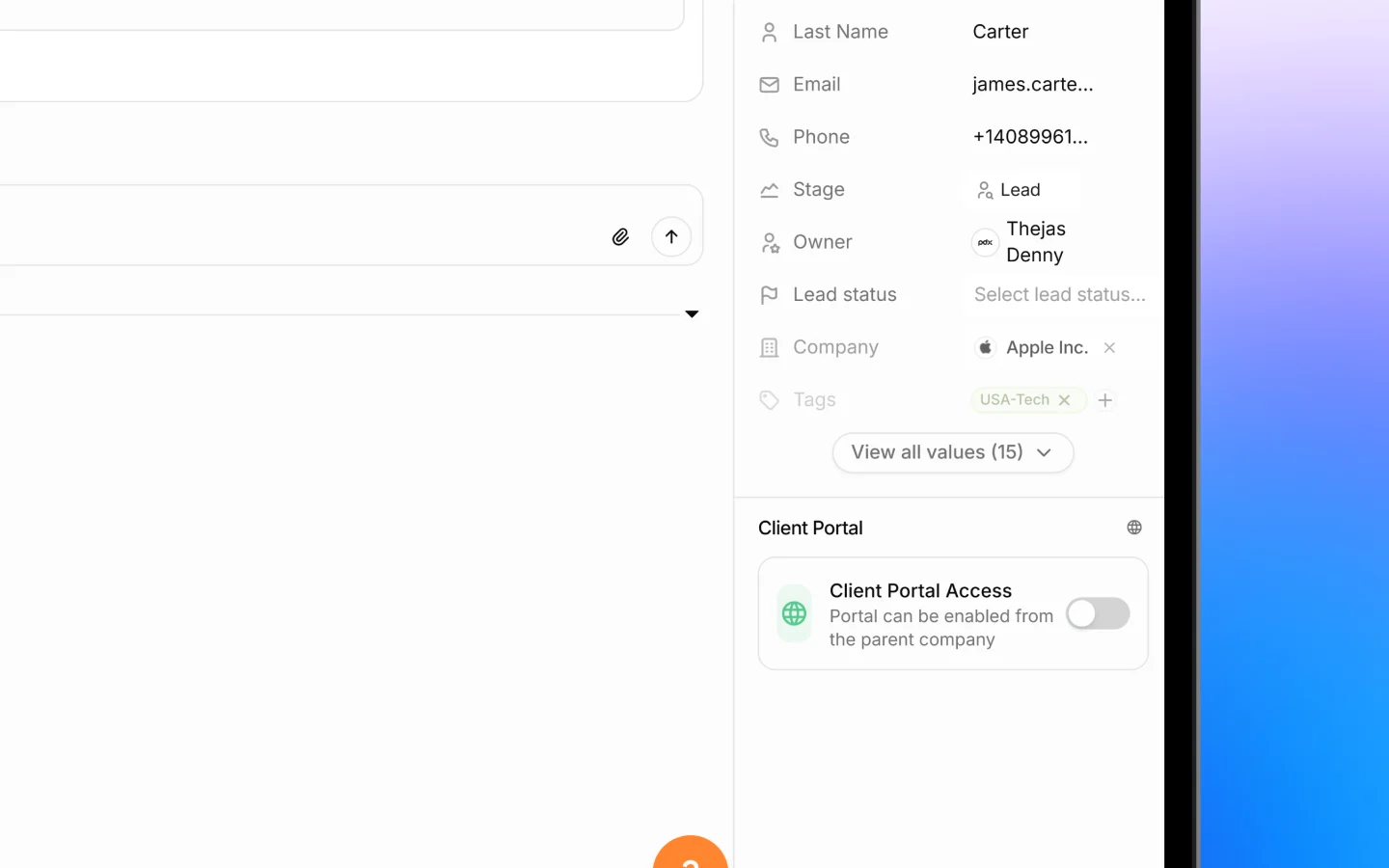
2. In the **Details** panel on the right, find the **Company** field
3. Click it and search for the company
4. Select the company to link it
The contact is now tied to that company, and it appears among the company's contacts. To unlink, clear the Company field.
You can also set this when first adding the contact, using the Company field in the Add Contact form.
 ***
## Linking a contact to a deal
Deals track sales opportunities, and each deal can have one or more contacts associated with it, the people involved in that opportunity.
1. Open the deal by clicking it in the Deals list
2. Find the **Contacts** section on the right of the deal record
3. Click to add a contact
4. Select the contact to associate it with the deal
If a deal has no contacts yet, Heffl prompts you to add one so the opportunity is tied to a real person.
A deal also has a **Client** field, which is the company or contact the deal belongs to. The Client is the main account, while the Contacts section lists the specific people involved.
***
## How these links work together
When a lead converts into a deal, its contact information carries forward, so the deal is connected to the right people from the start. From there, the links flow naturally:
* The **contact** is linked to a **company**
* The **deal** is linked to a **client** (the company or contact)
* The **deal** lists the **contacts** involved
This means opening any one record shows you the others. Open a company to see its contacts, open a contact to see its company, and open a deal to see both its client and its contacts.
***
## Why linking matters
Keeping these links current gives you:
* A full picture of who you are dealing with on each deal
* The right contact pulled automatically onto quotes and documents
* Clean reporting, since deals trace back to real people and companies
* No orphaned records floating without context
***
## What to do next
1. [Add and manage deals](https://docs.heffl.com/adding-and-managing-deals) to track your opportunities
2. Work with the deals pipeline to move deals through stages
3. Send a [quotation](https://docs.heffl.com/creating-and-sending-quotations) to a linked contact
***
## Linking a contact to a deal
Deals track sales opportunities, and each deal can have one or more contacts associated with it, the people involved in that opportunity.
1. Open the deal by clicking it in the Deals list
2. Find the **Contacts** section on the right of the deal record
3. Click to add a contact
4. Select the contact to associate it with the deal
If a deal has no contacts yet, Heffl prompts you to add one so the opportunity is tied to a real person.
A deal also has a **Client** field, which is the company or contact the deal belongs to. The Client is the main account, while the Contacts section lists the specific people involved.
***
## How these links work together
When a lead converts into a deal, its contact information carries forward, so the deal is connected to the right people from the start. From there, the links flow naturally:
* The **contact** is linked to a **company**
* The **deal** is linked to a **client** (the company or contact)
* The **deal** lists the **contacts** involved
This means opening any one record shows you the others. Open a company to see its contacts, open a contact to see its company, and open a deal to see both its client and its contacts.
***
## Why linking matters
Keeping these links current gives you:
* A full picture of who you are dealing with on each deal
* The right contact pulled automatically onto quotes and documents
* Clean reporting, since deals trace back to real people and companies
* No orphaned records floating without context
***
## What to do next
1. [Add and manage deals](https://docs.heffl.com/adding-and-managing-deals) to track your opportunities
2. Work with the deals pipeline to move deals through stages
3. Send a [quotation](https://docs.heffl.com/creating-and-sending-quotations) to a linked contact