

Note: This page is generated from release JSON inpackages/changelog/src/data/. After editing or adding files, runnpm run generateinpackages/changelog, then fromapps/docsrunpnpm sync.
Issue 011 — 2026-05-19
Deeper accounting sync, document kanban, and sales workflows This release expands QuickBooks and Zoho integrations with job sync, tax handling, and one-click resync, adds kanban and custom fields to documents, streamlines invoice and quotation editing, and brings bulk actions, ownership, and calendar preferences across CRM, sales, and purchases.Features
QuickBooks & Zoho: Jobs, Tax, and Resync
Accounting integrations go much further this release:- Field service jobs can sync to QuickBooks as sub-customers under the parent client, with currency and tax handled correctly.
- Invoices, payments, clients, purchase orders, and jobs now have a Resync action when a sync fails or data changes after the first push.
- Zoho tax rates and chart of accounts sync into Heffl, and invoice and purchase order tax resolution is more reliable across both providers.
- Zoho Cliq notifications can be toggled from notification preferences.
Team Date Format and Week Start
Team settings now include a Week starts on preference (Monday or Sunday) that applies to calendars and date pickers across the app, alongside expanded date format options including D.M.YYYY. Your choice syncs instantly wherever dates are shown.Documents: Kanban View and Custom Fields
Documents work more like the rest of your CRM:- Switch documents to a kanban board grouped by status or any supported field, drag cards between columns, and configure which fields appear on each card.
- Add custom fields to documents and filter or display them in list and kanban views.
- Document numbers from your numbering settings are wired through creation and display, and document names are generated more consistently.
Bulk Mark Invoices as Sent
Select multiple draft invoices from the invoice list and mark them all as sent in one action. Non-draft invoices in the selection are skipped automatically, with a confirmation showing how many will be updated.Purchases: Bulk Delete
Bills, expenses, payments, purchase orders, and vendors now support bulk delete from their list pages. Select multiple rows, confirm, and Heffl checks for blockers such as recorded payments before removing records.Issue 010 — 2026-04-18
Document signing, AI editing, QuickBooks, and smarter forms This release brings an AI writing assistant for documents, a round of document signing and editor upgrades, a QuickBooks integration, one-click contact creation from form submissions, richer form settings, and Workers app permissions.Features
AI Writing Assistant in Documents
The document editor now includes an AI prompt that can draft, rewrite, and refine document content directly inside the editor, so you can produce polished quotations, proposals, and contracts much faster.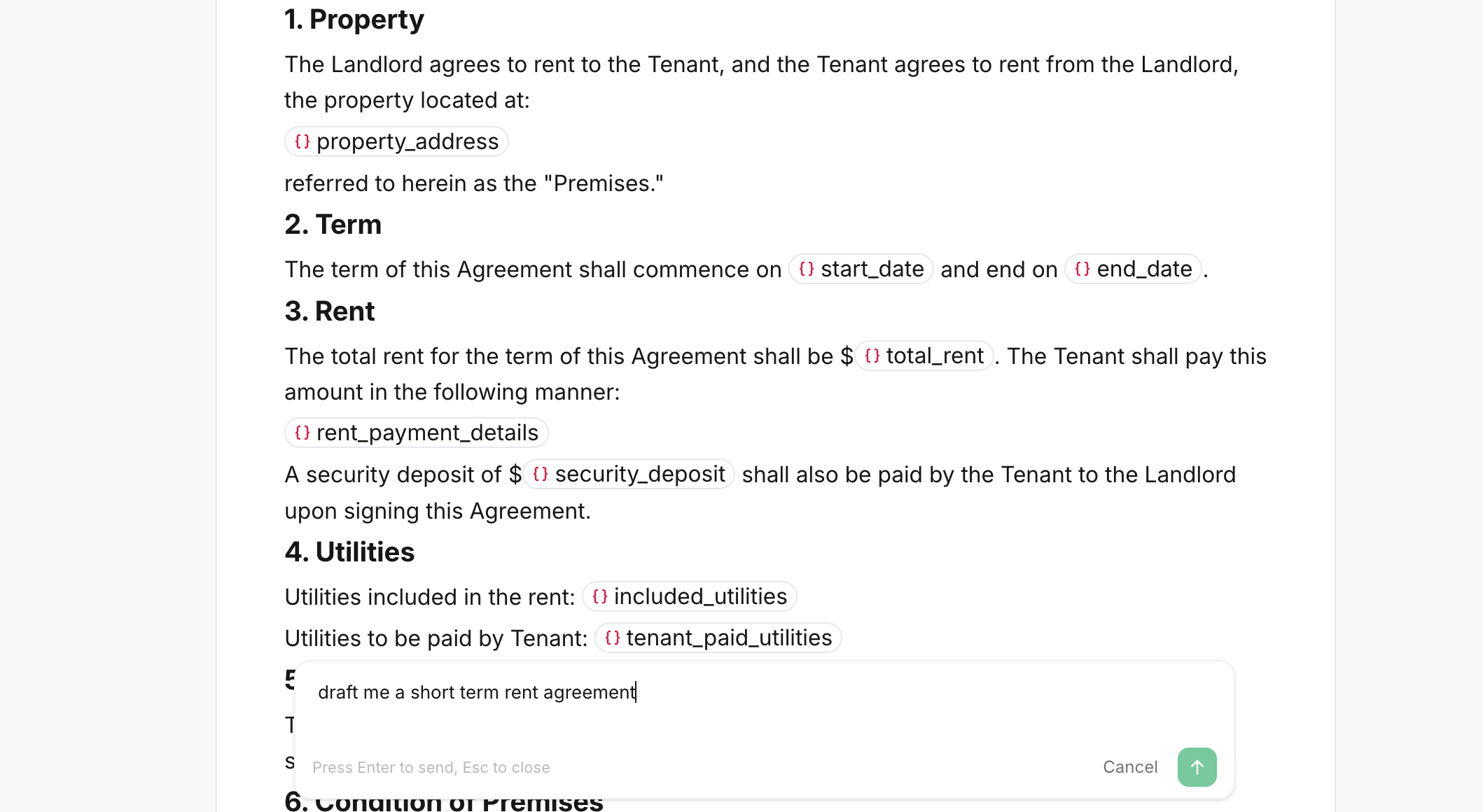
Document Signing and Editor Updates
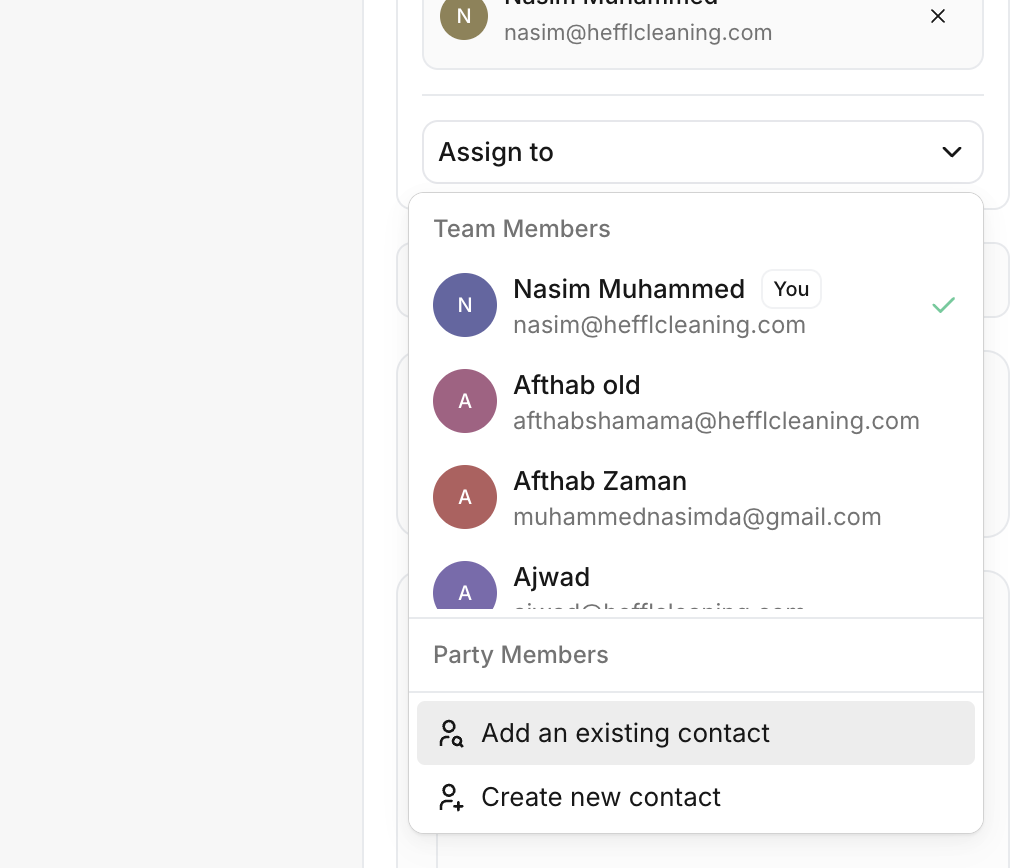
A round of upgrades across sending, signing, and styling documents:- Document recipients can now be client contacts or team members, so internal approvers and external clients can sign the same document through one flow.
- Signed documents render their signature blocks accurately in both the editor preview and the printable / client-hub view, so a signed document always looks the way the signer saw it.
- Toggle table borders on and off from the document editor toolbar.
- Tables without a set width no longer stretch to full page width, giving you much tighter control over quotations and proposals.
QuickBooks Integration
Connect Heffl to QuickBooks from the integrations page. Invoices created in Heffl flow through to QuickBooks, keeping your accounting in sync without double entry.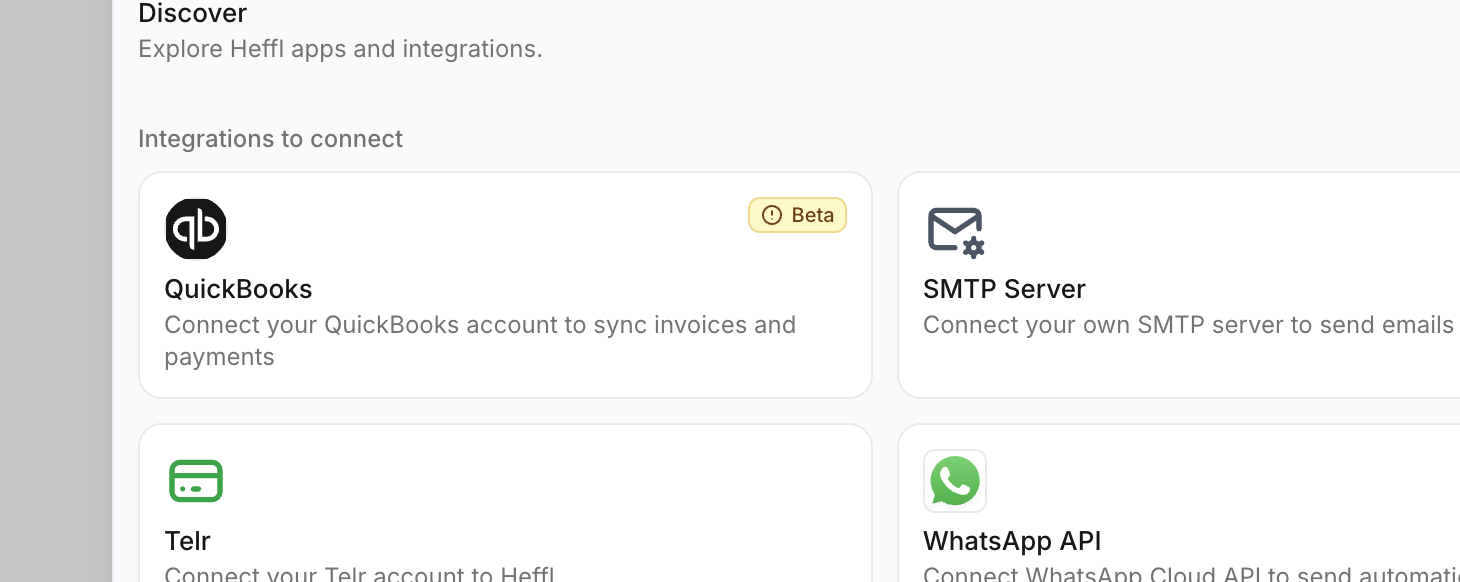
Forms: Contacts, Settings, and Polish
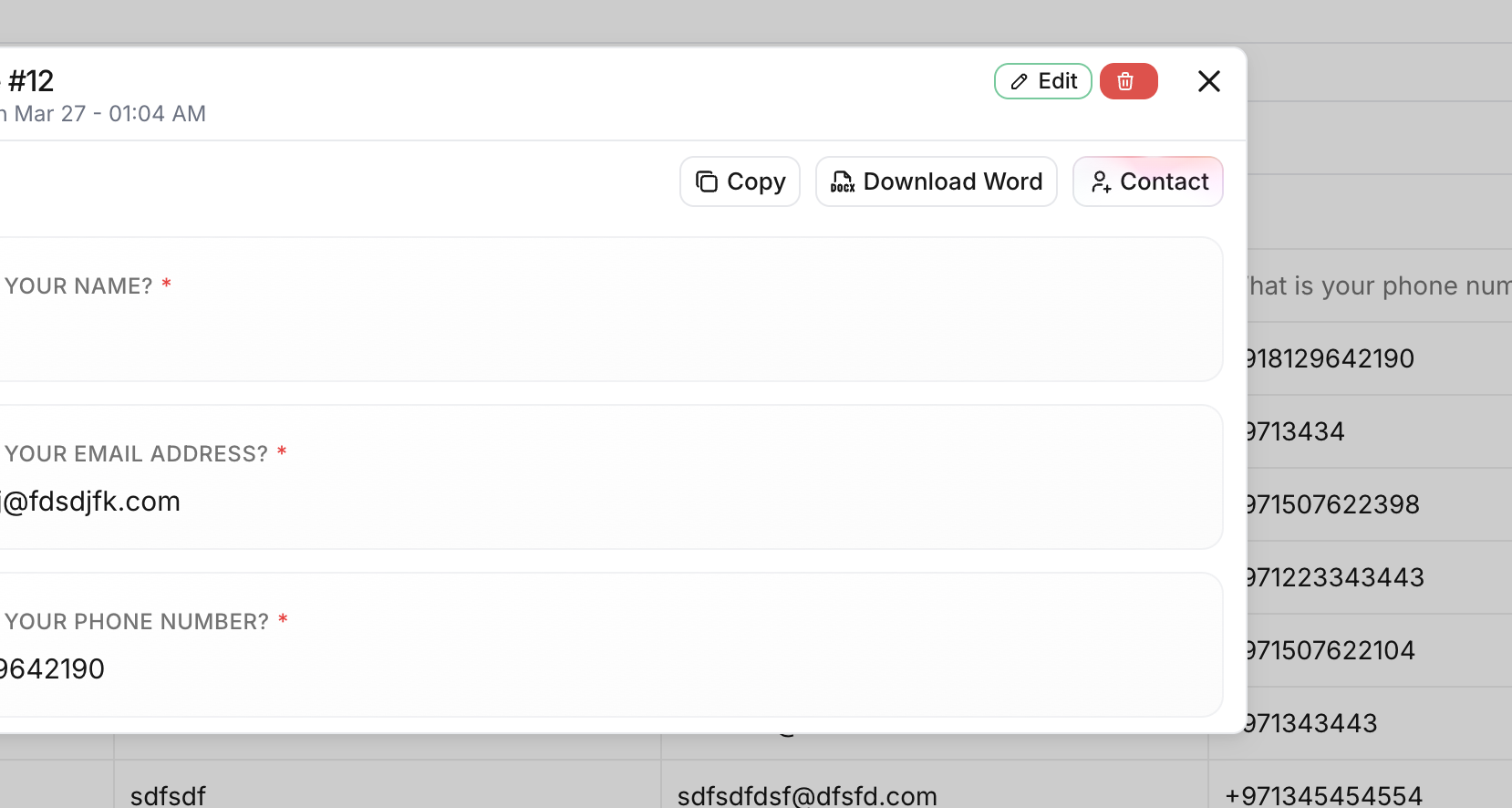
Forms got smarter end-to-end:- Form responses detect the submitter’s name, email, and phone automatically. A Create contact button turns any submission into a CRM contact in one click, and if a contact with that email already exists the modal links straight to it.
- Customize the label of the Previous button on multi-step forms from form settings.
- New form fields are now inserted in the correct position every time.
- The shared input, textarea, and rating components on public forms got a round of visual and keyboard-handling fixes.
Workers App Permission Sets
Field service workers can now be assigned granular permission sets that control what they see and do in the staff app, including whether client phone numbers and emails are visible on schedules.Fixes
Report Charts Rendering
Fixed an issue where report charts could fail to render because of the lazy-loaded Recharts setup, and tidied up chart behavior on the templates page at the same time.Issue 009 — 2026-04-05
Multi-currency, Polish, and a faster command palette Recent updates make product news easier to follow, add multi-currency support where you create invoices and manage clients, expand language options, and speed up navigation across the app.Features
Multi-currency on clients and invoices
Choose the currency for an invoice with a searchable picker and flags, and work with client-level currency preferences so amounts match how you bill and get paid.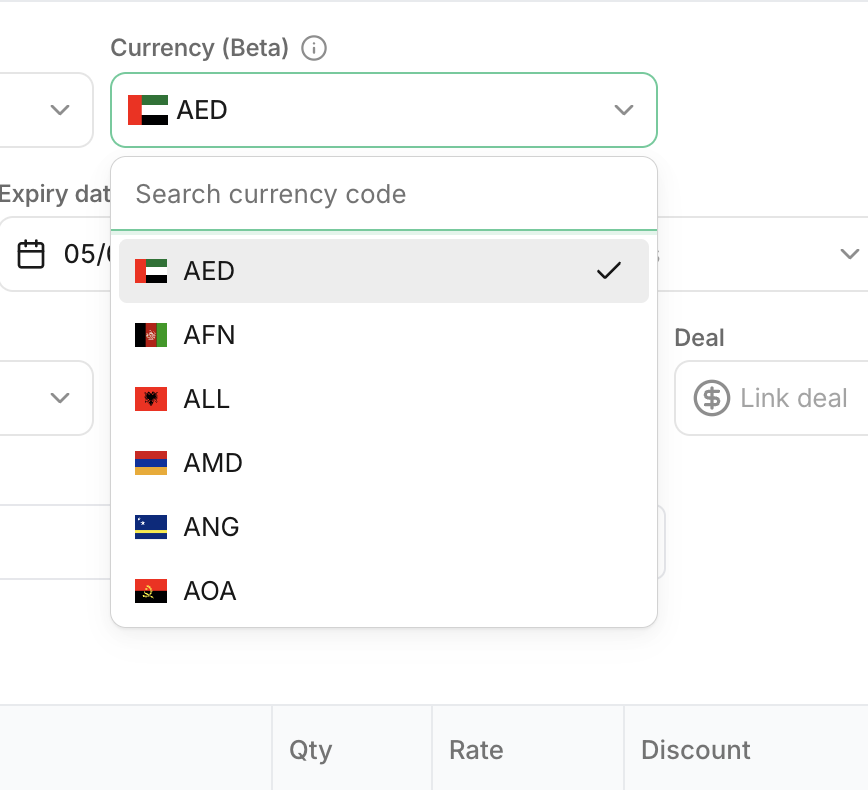
Polish language
Heffl is available in Polish in addition to existing languages, so more teams can use the product in their preferred language.Improvements
Command palette and settings navigation
The command palette and settings navigation were refined so you can jump to pages and tools faster with fewer clicks.Issue 008 — 2026-03-27
From list speed to document workflows and reliability This release focuses on faster list navigation, broader sales and document workflows, stronger message templates, and a wide set of reliability fixes across CRM, projects, and field service.Features
Instant Form Share Responses
Added an option to view form share responses instantly from the form share view, making it easier to validate and react to new submissions in real time.Project Template Assignee Replacement
Projects created from templates can now remap template task assignees during setup. Teams can replace template users with current assignees or leave tasks unassigned, making template-based project creation much more practical across different teams.Bulk Job Completion
Field service teams can now complete multiple jobs in one action from the jobs list. Completing jobs in bulk also closes linked schedules that are still pending so job and schedule status stay aligned.Message Templates for More Entity Types
Message template entity resolution now covers a wider set of records, including quotations, invoices, deals, leads, clients, bills, proforma invoices, purchase orders, and sales orders. Template boilerplates and variable metadata were also expanded so personalization works across more document workflows.Email Actions for More Document Types
Email sending was extended and unified for bills, purchase orders, sales orders, and proforma invoices. Detail pages now expose more direct email actions, and the send pipeline produces more consistent document names and defaults across document types.Required Salesperson and Job Fields
Teams can now require a salesperson on quotations and enforce required fields such as salesperson, payment method, and LPO number on field service jobs, with clearer validation messages when details are missing.Improvements
Sidebar and Navigation Polish
Sidebar expand controls and team-switcher navigation were refined for cleaner behavior and better nested-item presentation. These updates make the newer navigation surfaces feel more consistent across the app.Fixes
Lead Stage Change Triggers
Fixed an issue where automations and triggers were not reliably firing when lead stages were updated, so stage-based workflows now run consistently.Issue 007 — 2026-03-10
This release improves how projects are created and managed, with better templates, clearer workflows, and more flexible task views.Features
Richer Project Templates
Templates can now include defaults for project title, description, lead, assignees, tags, and predefined line items with totals. When a project is created from a template, these values are applied automatically.More Detailed Template Tasks
Tasks inside templates now support types such as task, meeting, and call, along with priority, due-day offsets, assignees, tags, workflow stage, and subtasks in a cleaner editor. Template task lists are also easier to scan and reorder.Stage-Based Task Workflow
Project task lists can now be grouped by workflow stage. Tasks can be reordered within a stage or moved between stages with drag-and-drop, and new tasks can be created directly inside any stage group.Flexible Task Views
Tasks can now be viewed in table, calendar, kanban, or gantt layouts. Custom views can be saved and accessed as their own tabs so teams can work in the layout that fits their workflow.Improvements
Faster Project Setup
Creating a new project now starts with a pipeline selection step followed by a template picker. Teams can begin with a blank project or choose a template in the same flow, making project setup faster and clearer from the start.Issue 006 — 2026-03-07
Major public API expansion, automation upgrades, integrations, and broad platform reliability improvements.Features
Public API Expansion with Public IDs
Expanded public API coverage with broader CRUD endpoints across core CRM entities, migrated routes to public IDs, and improved OpenAPI documentation for external integrations.Advanced Automation Capabilities
Added date-based triggers, delay actions, richer trigger outputs, enhanced control-flow handling, webhook action improvements, and expanded automation templates including agency-focused flows.Integration Suite Enhancements
Shipped and improved Zapier, Fathom, TidyCal, Cal.com, LunaCal, WhatsApp, and SMTP integrations with stronger setup flows, validation, and webhook handling.Forms and Custom Fields Expansion
Introduced Heffl AI-powered form import, form sharing and deletion capabilities, and expanded custom field support including KEY_VALUE, SIGNATURE, RATING, OPINION_SCALE, and BOOLEAN field types.Client Portal and Payment Schedule Updates
Enhanced client portal workflows with payment scheduling improvements, overdue visibility, project files support, and refined access handling for contacts and clients.Improvements
Tax Treatment Coverage Across Sales and Purchases
Extended tax treatment logic and tax treatment code support across line items, bundles, invoices, bills, expenses, field service, and related schemas for more consistent accounting behavior.Dashboards, Data Grids, and UI Performance
Added new dashboard widgets, improved table persistence and loading behavior, and delivered broad accessibility and performance refinements across UI components and list views.Project and Task Workflow Enhancements
Upgraded recurring task/profile workflows, improved task modal ergonomics, added attachment-related improvements, and refined project/task data handling for better day-to-day execution.Documents, Templates, and Print Experience
Enhanced document template rendering and navigation, improved quotation and invoice actions, expanded page number controls, and improved print/PDF rendering behavior.Email and Messaging Workflow Refinements
Improved email normalization and send pipelines, added/expanded CC-BCC and attachment handling, and improved message template personalization and delivery reliability.Bug fixes
Integration Reliability and Sync Fixes
Resolved multiple issues across calendar and integration sync flows, webhook edge cases, OAuth/config handling, and provider-specific delivery behavior.Platform Stability and Quality Fixes
Addressed a broad set of platform fixes across CRM, documents, tasks, forms, field service, and admin surfaces, including many low-level stability and regression patches.Issue 005 — 2026-01-04
Performance improvements, quick actions, invoice subject fields, and client portal updates.Features
Quick Actions Feature
Quick actions in sidebar for faster access to frequently used features.Subject Field for Invoices
Added subject field to invoices for better organization.Links in Files (Client Portal)
Added links support in client portal files.Bulk Actions for Timesheets
Added bulk actions for timesheets to manage multiple entries at once.Improvements
Client Portal Settings Revamp
Redesigned client portal settings with improved UI and preview.Client Portal UI Fixes and Enhancements
Fixed UI issues in client portal and improved visual consistency.Project List Improvements
Improved project list performance and added new features.Message Templates with Contact Variables
Added firstName and lastName variables to message templates.Entity Selector Enhancements
Improved entity selector component across the platform.Bug fixes
Fixed Project Routes and Timesheets
Fixed issues in project routes and timesheets.Various Bug Fixes and Improvements
Fixed various bugs and improved performance across the platform.Issue 004 — 2025-12-29
This release brings significant enhancements to the client portal with projects integration, new API endpoints for tasks, comprehensive custom fields improvements, enhanced form capabilities, improved client onboarding experience, and various bug fixes and performance optimizations across the platform.Features
Task API Endpoints
Added both public and regular task API endpoints, enabling external systems to create, read, update, and manage tasks programmatically. This opens up new integration possibilities for task management.Custom Fields Enhancements
Enhanced custom fields functionality with improved field management, better handling of duplicate field names, and streamlined field configuration across the platform.Form Ending Page with Redirect URL
Forms now support custom redirect URLs after completion. Configure a redirect URL in your form settings to send users to a specific page or website after they submit the form.Improvements
Activity Timeline Improvements
Added meeting activity button to the activity timeline. Leads and deals now use activity timeline actions for better tracking and visibility of all interactions and updates.Download Progress Modal
Added download progress feedback for invoices and quotations. Users now see real-time progress indicators when downloading documents, providing better visibility into download status.Message Templates with Contact Variables
Message templates now support firstName and lastName variables for contacts, enabling more personalized communication. Use{{firstName}} and {{lastName}} in your templates for dynamic personalization.