

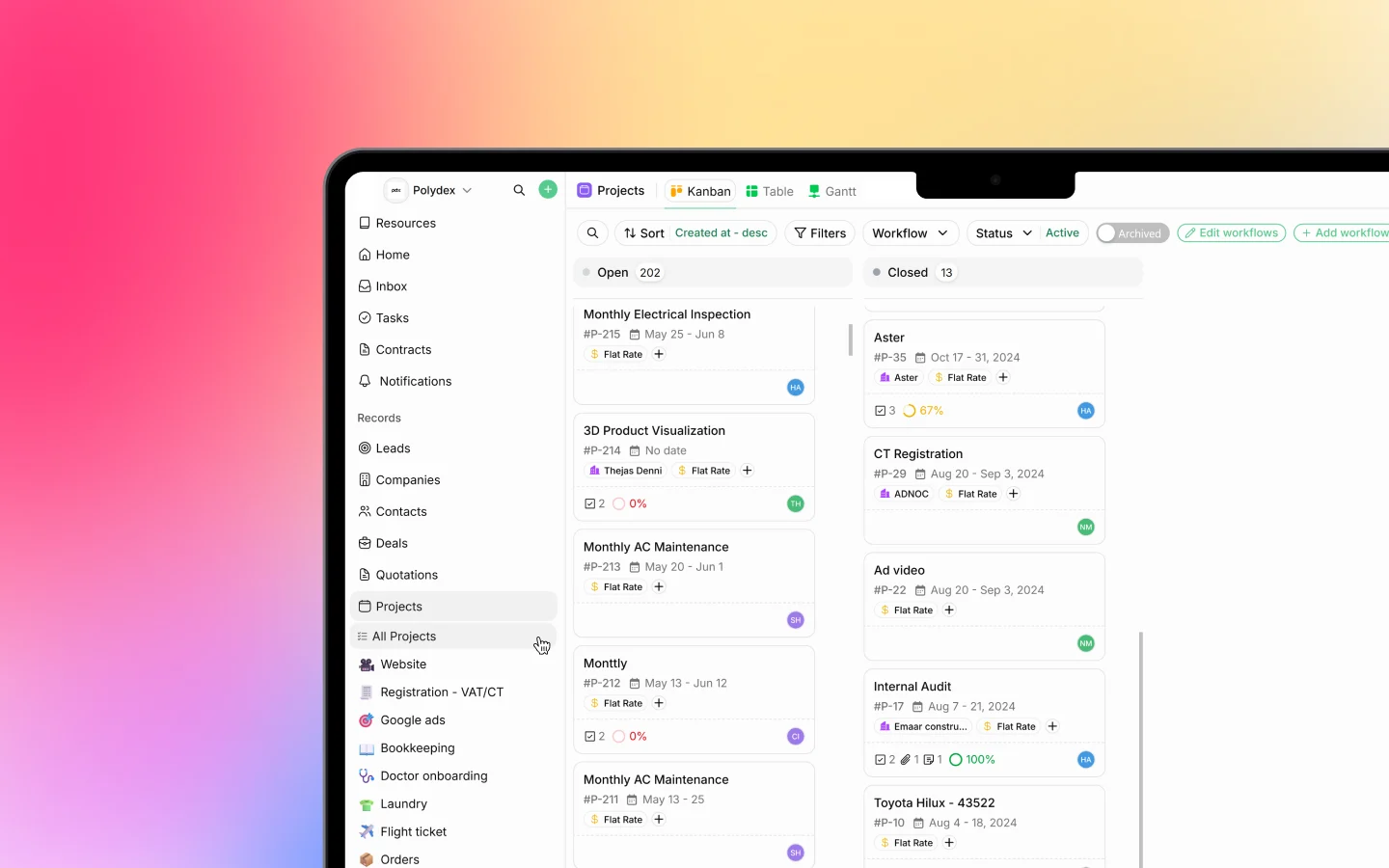
What a project is
A project represents a body of work you deliver, such as a monthly AC maintenance, a website build, or a VAT registration. Each project has a client, a workflow (pipeline), a current stage, dates, an assignee, and a project lead. Inside it you track tasks, log time, and store files. Projects often begin life as a won deal. When a deal closes, you can convert it into a project so the work carries forward. You can also create a project directly. See Creating and managing projects.Pipelines and workflows
Like deals, projects are organized into pipelines (also called workflows), one per type of work. Your workspace has pipelines such as:- Website
- Registration - VAT/CT
- Google ads
- Bookkeeping
- Doctor onboarding
- Laundry
- Flight ticket
- Construction
- Agricultural land sales
- Launch Pad
Ways to view projects
The Projects area offers several views, switchable from the tabs at the top: Kanban A board where projects are cards grouped by status (Open, Closed). Drag cards to move them. Each card shows the project name, ID, dates, client, billing type, and progress. Table A list with columns for No, Title, Project Lead, Board (pipeline), Phase (stage), Tags, Start Date, End Date, and Assignee. Best for scanning and bulk work. Gantt A timeline showing each project’s start date, duration, and progress across a calendar, useful for seeing scheduling at a glance. Switch the scale between Days, Weeks, Months, and Quarters. Recurring Projects that regenerate on a schedule (see below). Timesheets Logged time across all projects (see below).What lives inside a project
Open a project and you will find everything related to that work in one place:- Tasks, the individual to-dos that make up the project
- Timesheets, logged hours against the project and its tasks
- Files, documents and project briefs attached to the project
- Stages, showing progress through the pipeline
- Details, including client, lead, assignee, dates, budgeted hours, and billing type (such as Flat Rate)
Recurring projects
For work that repeats, such as a monthly maintenance or a quarterly audit, you set up a recurring project. It regenerates a new project on a schedule (Every week, Every month, Every 2 weeks, and so on). Recurring profiles have their own list with a status, frequency, client, and start and end dates. See Creating and managing projects.Timesheets
Timesheets track the hours your team spends on projects and tasks. Each entry records the user, project, task, client, date, hours, whether it is billable, and an approval status (Pending or Approved). The Timesheets view totals your billable, non-billable, and total time, and flags entries to approve. See Logging timesheets and tracking hours.A typical project flow
- Win a deal, then convert it to a project (or create one directly)
- Choose the pipeline and a template or blank start
- Break the work into tasks and assign them
- Log time against tasks as work happens
- Move the project through its stages
- Invoice the client, linking the invoice to the project
- Close the project when the work is delivered
What to do next
- Create and manage a project
- Break a project into tasks
- Log timesheets against your projects