

What the API is for
The API gives programmatic access to your workspace data, so developers can read and write records from their own code. It covers core records including:- Contacts and companies
- Deals
- Quotations
- Tasks
- Document templates
Who this is for
This is a technical feature aimed at developers. Most users do not need it. For everyday connections to tools like Gmail, Outlook, Stripe, Telr, or Zoho Books, use the ready-made connectors instead, no code required. See Integrations and connected apps. Reach for the API only when you need a custom integration that the built-in connectors do not cover.Getting started
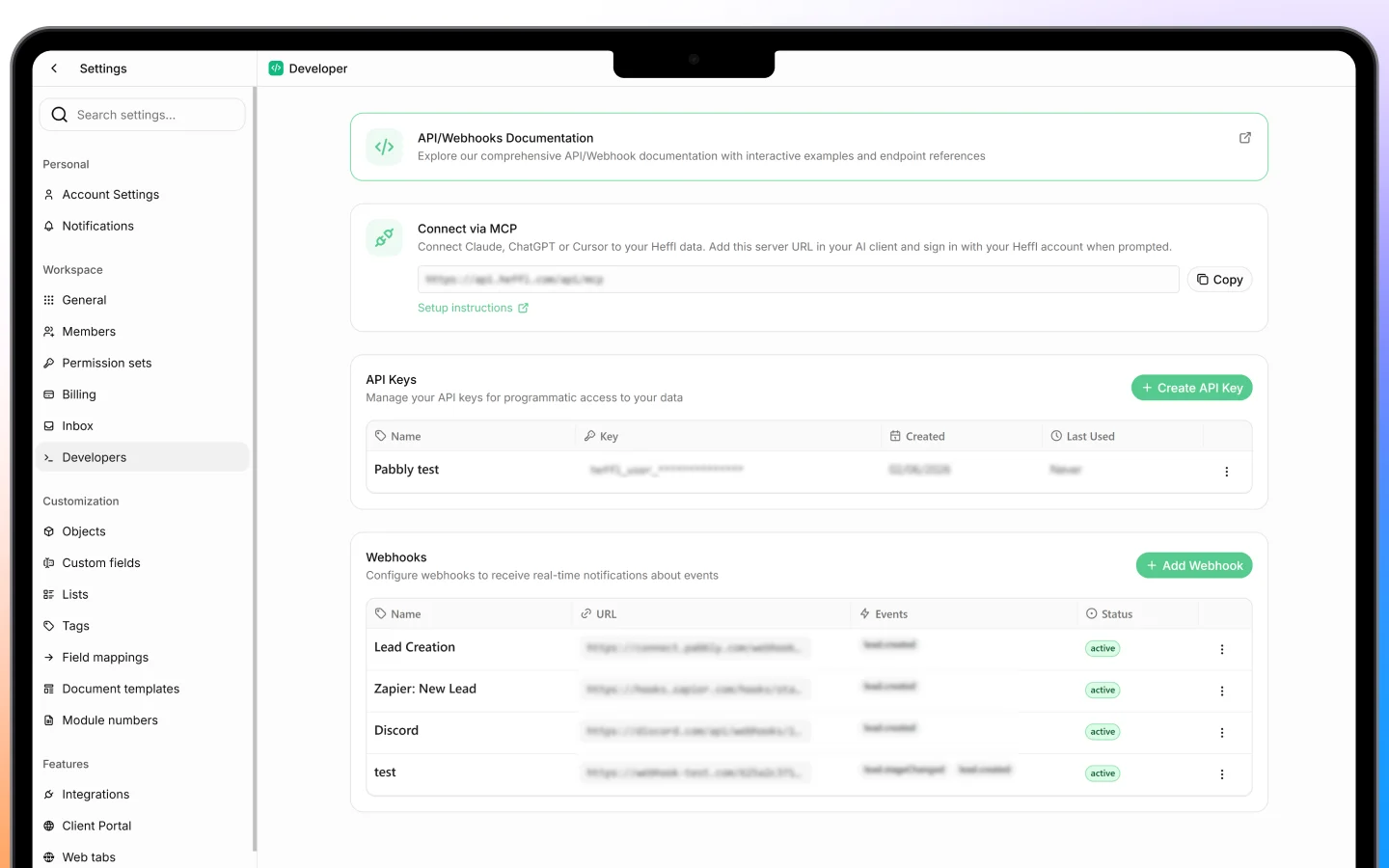
- Find your API key under Settings > Developers
- Include the key in the
x-api-keyheader on every request - Send requests to the API base URL over HTTPS
curl "<https://api.heffl.com/api/v2/contacts?pageSize=25>" \\ -H "x-api-key: YOUR_API_KEY"
Treat your API key like a password. Anyone with it can access your workspace data, so keep it secret and do not share it in public code.
Versions
Heffl has two API versions:- API v2 is the current REST API (beta), with resource-based paths like
/contacts,/companies, and/deals - API v1 (legacy) remains fully supported for existing integrations
Full developer reference
For everything else, including authentication, the full list of endpoints, filtering and search, pagination, error codes, custom fields, and code examples, see the official developer documentation: docs.heffl.com/api-v2 It is kept up to date as the API evolves, so it is the authoritative source for building against Heffl.What to do next
- Get your API key from Settings > Developers
- Read the API v2 reference
- For non-developer needs, use the built-in integrations instead