

Module numbers
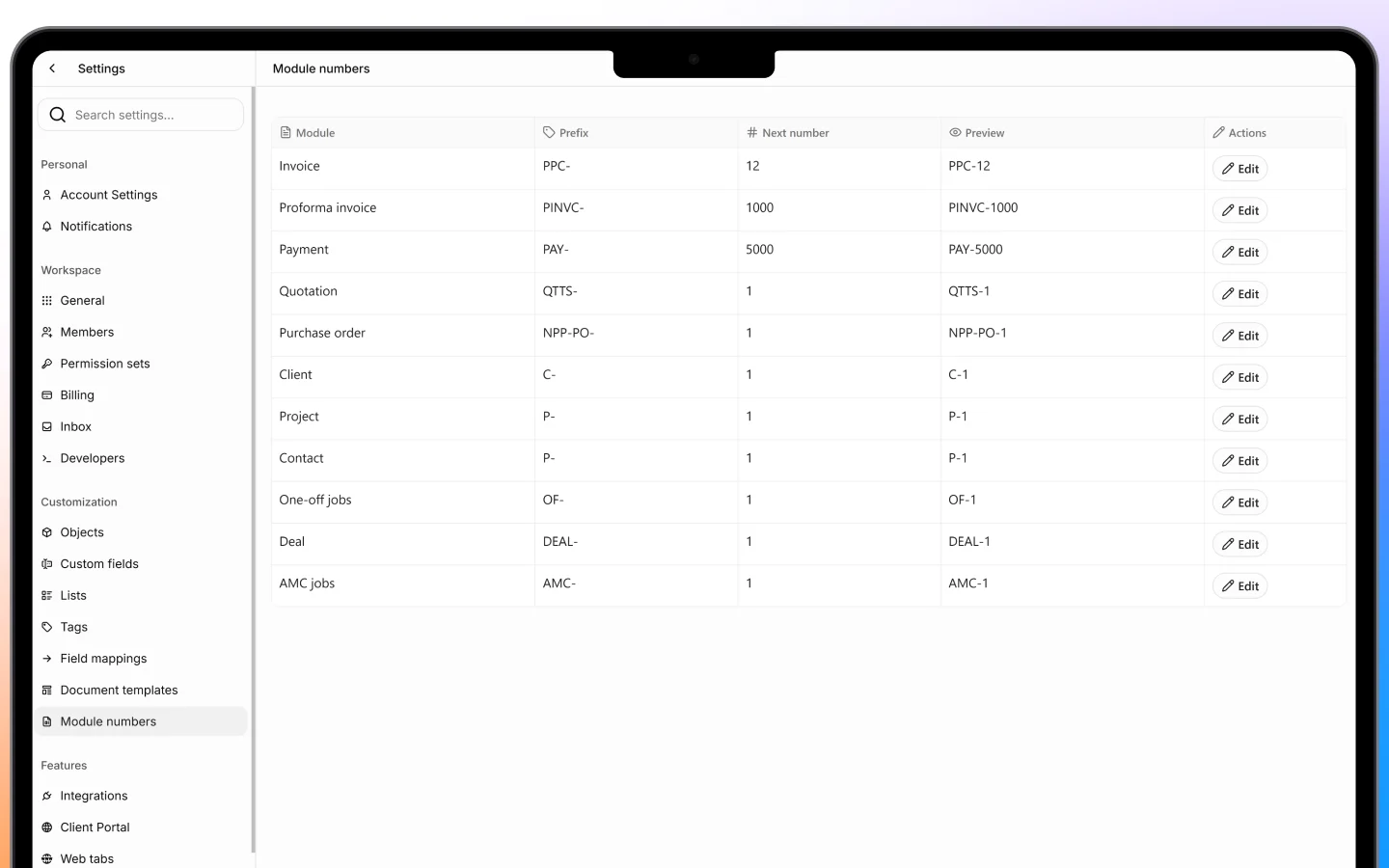
Every record in Heffl gets an automatic identifying number, and Module numbers is where you control how those numbers are formatted per module. You have seen these numbers throughout Heffl, for example:- Quotations as QTTS- numbers
- Proforma invoices as PINV- numbers
- Payments as PAY- numbers
- Jobs as OF- (one-off) and AMC- (contract) numbers
- Projects as P- numbers
Why it matters
Consistent numbering keeps your records organized and professional. Setting a sensible prefix per module means anyone can tell at a glance whether they are looking at a quotation, an invoice, or a job. If you are migrating from another system, you can set the starting number to continue your existing sequence rather than restarting from one. Set your numbering early, before you create many records, so the format stays consistent across your whole history.Document templates
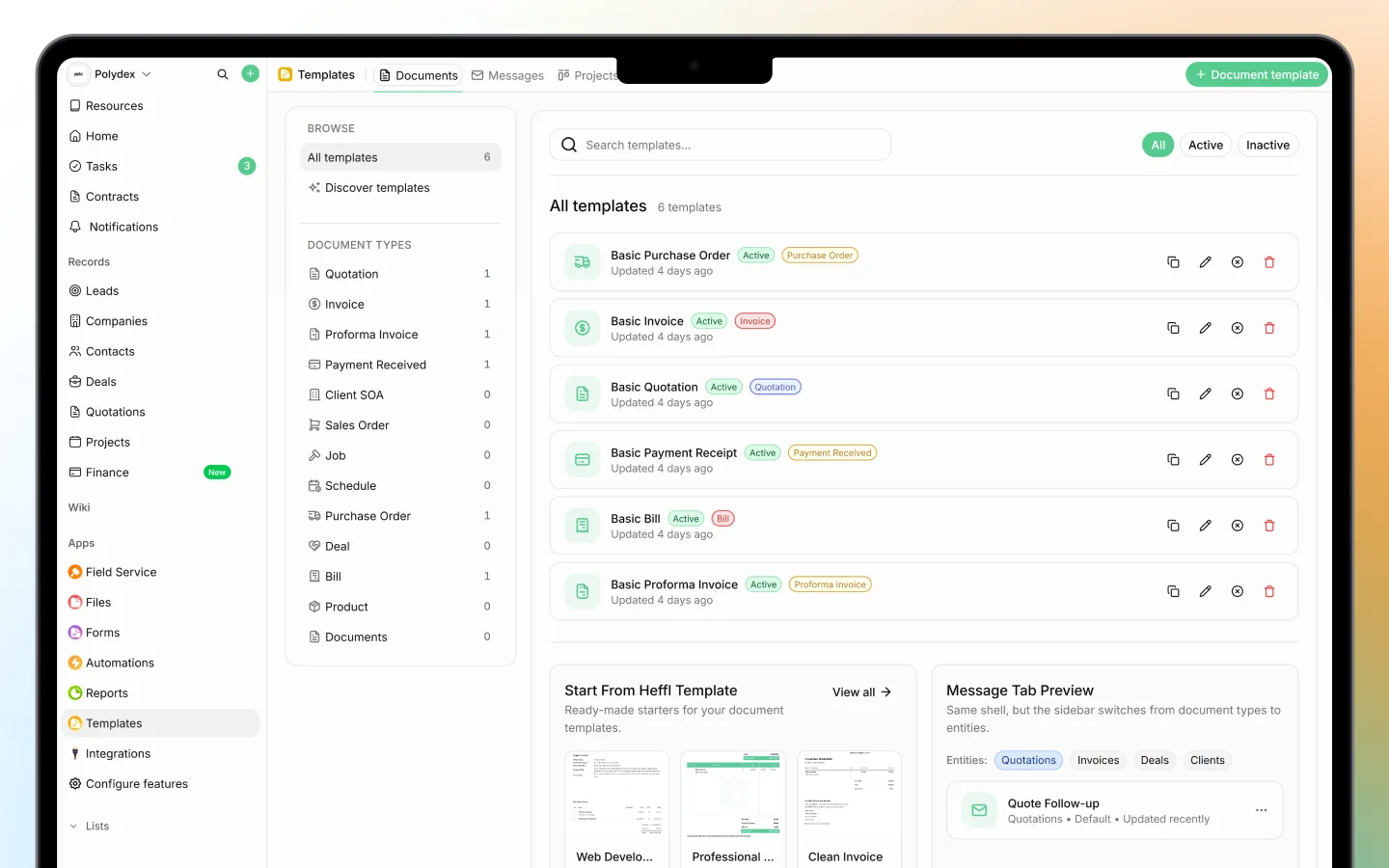
Document templates control the design and default content of the documents you send to clients, such as quotations, invoices, proforma invoices, and purchase orders. Managing them centrally here means every document your team sends looks consistent and on-brand. A template typically controls:- The layout and branding (your logo, colors, and company details)
- Default text, such as terms, notes, and payment instructions
- The fields and columns shown on the document
How templates are used
When you create a quotation or invoice, you pick a template as the starting point, and the document inherits that template’s design and defaults. You saw this when creating a quotation, where you choose a template before adding line items. Managing templates centrally means a change to a template applies to new documents built from it, so you update your branding or terms in one place rather than on every document.Creating and editing templates
From the Document templates screen you can create new templates and edit existing ones, setting up the layout and default content each should carry. Set up a template per document type you send, so your team always starts from the right design.How the two work together
Numbering and templates are the two halves of a polished client document:- Module numbers give each document a clean, sequential identifier
- Document templates give it a consistent, branded appearance
What to do next
- Set your organization details so they appear correctly on documents
- Review your templates before sending quotations and invoices
- Confirm your numbering format early, before creating many records