

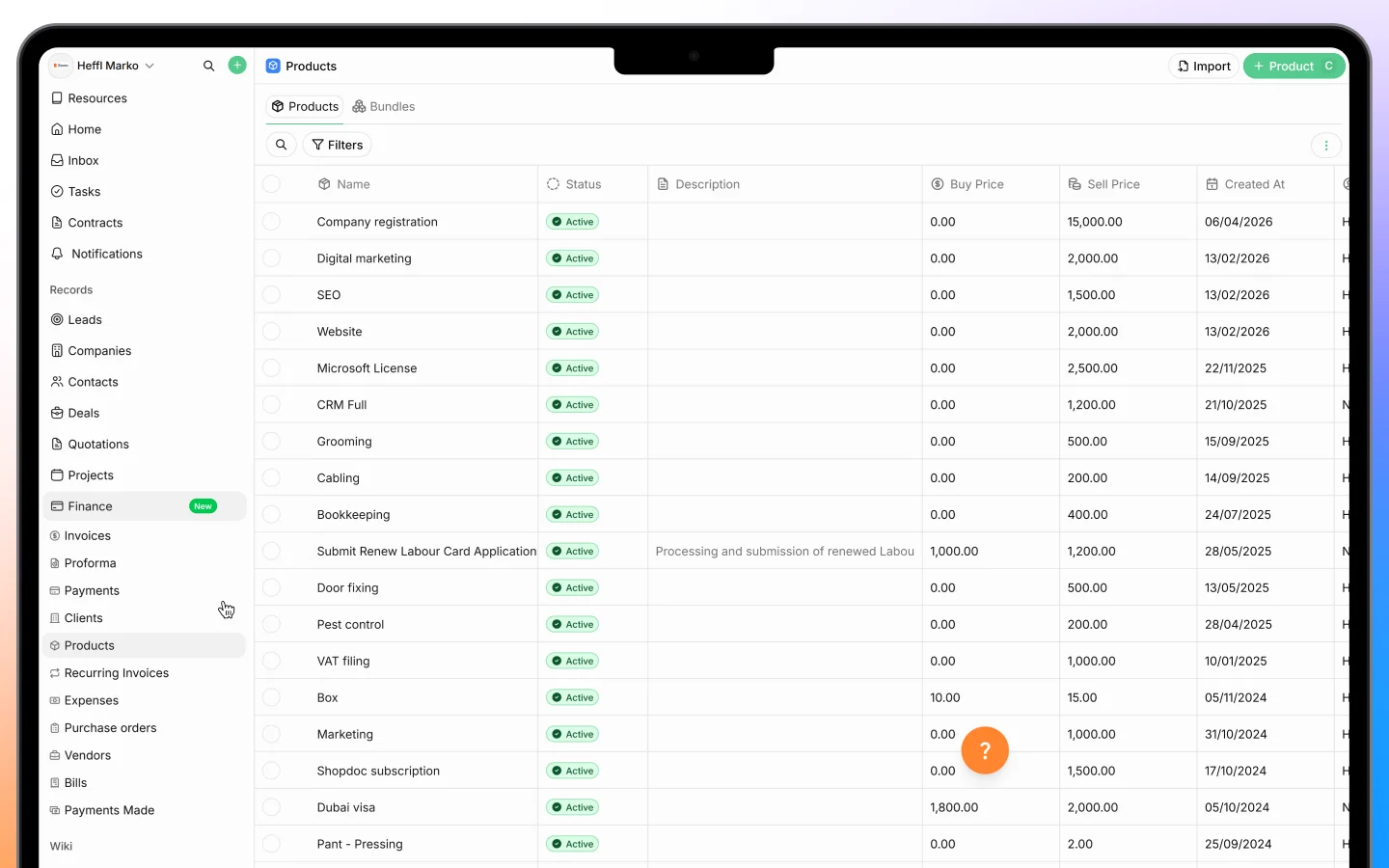
Why use a catalog
Maintaining a catalog means you enter each product’s details once and reuse them everywhere. This keeps pricing consistent across all your documents and saves you from retyping the same items. Changes to the catalog do not affect documents you have already created.Adding a product or service
- Go to Products in the sidebar
- Click Add Product
- Fill in the details:
- Name, the product or service name (must be unique)
- Type, either Product or Service
- Price, the selling price
- Buy Price, the cost price, used for margin tracking
- SKU, an optional stock keeping unit
- Description
- Default Tax Rate, applied automatically when the item is used
- Image, an optional photo or icon
- Active, whether the item appears in selection lists
- Save
Using products in documents
When adding line items to a quotation, invoice, or deal:- Start typing the product name in the line item field
- Select it from the matching results
- The price, tax, and description fill in automatically from the catalog
Active and inactive products
To retire a product without deleting it, mark it inactive:- Open the product
- Toggle the Active switch off
Client portal visibility
You can control which products your clients see in the client portal:- Edit the product
- Enable Client Portal Visibility
- Optionally add a Client Portal Description if you want clients to see different wording than your internal description
Bulk operations
For managing many products at once:- Bulk create imports multiple products in one go
- Bulk delete lets you select and remove up to 300 products at a time
Finding products
Use the controls on the Products page to locate items:- Search finds products by name
- Active/Inactive filter shows only active products or all of them
- Creator filters by who added the product
What to do next
- Create a quotation using items from your catalog
- Convert an accepted quote to an invoice
- Set client portal visibility on the products your clients should see